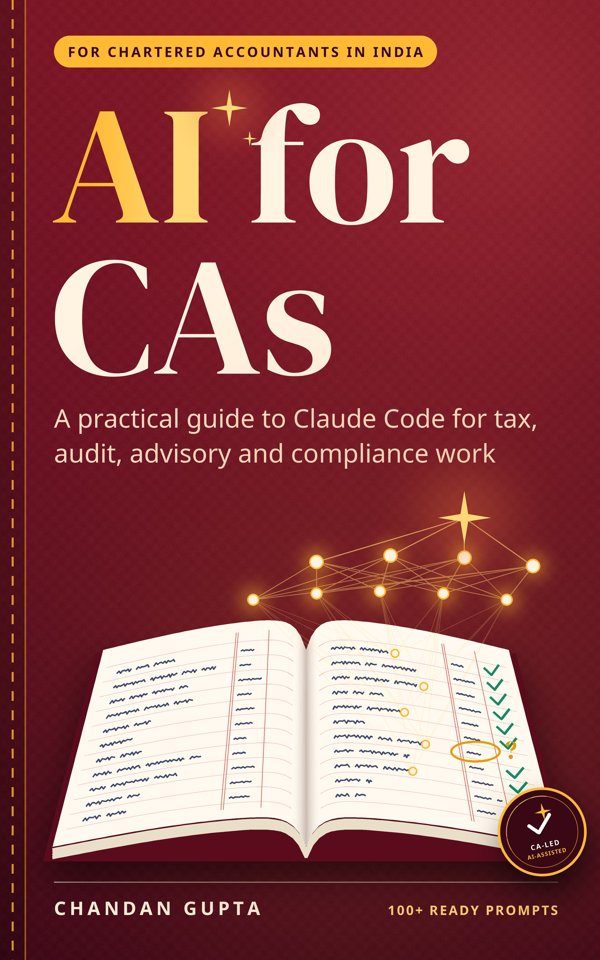
What this book is
A hands-on guide for Indian Chartered Accountants, articled assistants and finance teams on using Claude Code across direct tax, GST, audit, internal audit, reporting, advisory, compliance and forensic work, with worked examples, three tested walkthroughs on practice files, copy-ready prompts and a careful routine for client data.
It follows one fictional Pune practice through a year of learning to use Claude Code, Anthropic's AI tool that works on the files on your own computer, on Indian work: Tally and ERP exports, 26AS and AIS, GSTR-2B, CARO, Form 3CD, Schedule III and the ICAI Code of Ethics. The approach throughout: the CA leads, the AI does the mechanical part, and the CA checks and signs.
Client data, handled with care
What leaves your laptop, what doesn't, and a routine for your team.
Checking AI output
Control totals, re-performance, and the replies that should make you push back, before anything reaches a client or a signature.
Knowing the limits
Made-up sections and case law, stale thresholds, misread scans, arithmetic done in its head, and the jobs you shouldn't give it.
Try it yourself
GSTR-2B reconciliation, a TDS exception scan for tax audit, and internal-audit sampling, on free practice files with planted traps and answer keys.
Who it's for
Partners and managers
In small and mid-size practices: hand the mechanical part of tax, GST and audit work to AI without losing control of client data or quality.
Articled assistants and students
Learn the reconciliations, scans and sampling you do in articleship, faster, and know how to check the result.
In-house finance teams
Month-end, MIS, compliance and controls work on Tally and ERP exports, with an audit trail you can show.
How it works
Set up in 15 minutes
Install Claude Code on Windows and lock it down for client work. No coding.
Practise on safe data
Run three complete walkthroughs on practice files with planted traps, and check your result against the answer key.
Use it on real work
Apply the same method to your own files, with a client-data routine and a review step before anything is signed.
Contents
How to Use This Book
This book shows you how to hand the mechanical part of CA work to an AI tool you run from your own laptop, keep the client data it sees to a minimum, and check what it gives back.
Covers: Who this book is for; What Claude Code is, in plain English; How the book is organised; How to read a worked example; The people in this book; Conventions used in this book; A note before you startPart 1: Foundations
What leaves your laptop, how to set up safely, and the daily routine that keeps the client data it sees to a minimum.
Chapter 1: What Leaves Your Laptop
Before you point an AI tool at a client's ledger, you should know exactly what it sends, to whom, and how to keep that to a minimum. This chapter gives you that, and a routine to follow on every engagement.
Covers: The one rule to remember; What is sent, and what is not; The script pattern; Training and privacy settings, by plan; Folder hygiene; Anonymise when the detail does not matter; What never to open with it; Your professional dutyChapter 2: Set Up in 15 Minutes
By the end of this chapter Claude Code is installed on your Windows laptop, locked down for client work, and you have run a first session on made-up data.
Covers: Step 1: Choose a plan; Step 2: Install on Windows; Step 3: Sign in; Step 4: Lock down the settings; A folder structure for your practice; Your first session; How to answer permission prompts; A daily routinePart 2: By area of practice
Eight areas of CA work, each with tasks Claude Code handles well, three worked examples and prompts you can copy.
Chapter 3: Direct Tax
Income tax work is mostly matching: what the department sees against what the books say. This chapter shows how to hand the matching, sorting and first drafting to Claude Code, while the judgement and the signature stay with you.
Covers: Where it helps; The pattern behind every example; Worked examples; Building computations from a trial balance; More prompts to try; Where to be carefulChapter 4: Indirect Tax: GST
GST compliance is a monthly cycle of matching your books to the portal. This chapter shows how to let Claude Code build the matching scripts, so your team spends its time on the mismatches instead of on finding them.
Covers: Where it helps; The invoice number problem; Worked examples; Making it a monthly routine; More prompts to try; Where to be carefulChapter 5: Statutory Audit
Scrutinise the whole ledger instead of a few pages of it, pick samples you can defend to a reviewer, and keep confirmations and vouching under control, with the full books kept on your laptop.
Covers: Where it helps; Sampling you can explain; Worked examples; More prompts to try; Where to be carefulChapter 6: Internal Audit and Controls
Turn process notes into risk control matrices, test whole populations of P2P and O2C transactions for exceptions, and write observation reports that management can act on, in a fraction of the time.
Covers: Where it helps; Test everything, report the exceptions; Worked examples; More prompts to try; Where to be carefulChapter 7: Accounting and Reporting
Trial balances, ageing, fixed asset registers and notes take up most of the finalisation season. This chapter shows how to hand Claude Code the mechanical part, keep the judgement, and prove every number ties back to the books.
Covers: Where it helps; Three worked examples; More prompts to try; Where to be carefulChapter 8: Advisory and FP&A
MIS packs, budgets, cash forecasts, models and due diligence all rest on a lot of mechanical work. This chapter shows how to let Claude Code carry that load so your time goes into the advice.
Covers: Where it helps; Three worked examples; More prompts to try; Where to be carefulChapter 9: Corporate Law and Compliance
Company law work is part calendar, part drafting and part checking lists against ledgers. This chapter shows how Claude Code can keep the calendar, produce first drafts from your own templates and run the checks, while the legal judgement stays with you and the company secretary.
Covers: Where it helps; A calendar you control; Worked examples; Registers and checklists that stay current; More prompts to try; Where to be carefulChapter 10: Forensic and Investigations
Run the standard fraud analytics (duplicate payments, vendor-employee matches, Benford, journal-entry tests) over full datasets on your own laptop, and handle the evidence so that your work stands up later.
Covers: Where it helps; Benford's law, simply; Worked examples; More prompts to try; Where to be carefulPart 3: Working well
Checking what it gives you, turning your practice's way of working into a playbook, and knowing when not to use it.
Chapter 11: Checking AI Output Before It Reaches a Client
Claude Code is fast and usually right. Usually is not good enough for a working paper with your name on it. This chapter gives you a review routine you can run in minutes, and tells you how much of it each kind of output needs.
Covers: Why checking is not optional; Two ways it goes wrong; The review routine: seven moves; Prompts that make Claude check itself; How much checking: the risk ladder; When to stop correcting and start againChapter 12: Your Practice Playbook: Memory, Skills and Helpers
Stop explaining your date format, your folder rules and your reconciliation method in every session. Write them down once, in the places Claude Code reads, and every assistant in the office gets the same result.
Covers: CLAUDE.md: standing instructions; Auto memory: notes Claude keeps; Skills: your best method, packaged; Helpers: parallel work, used with care; Build it up over timeChapter 13: Limits, and When Not to Use It
Claude Code is fast and, with a script, exact. It can also be wrong in ways that sound completely right. This chapter lists where it goes wrong, how you will recognise it, and what to do.
Covers: Two kinds of answer; Seven limits, with what to do; When a session goes wrong; Jobs it should not do; The limits at a glancePart 4: Try it yourself
Three end-to-end walkthroughs on downloadable practice files with planted traps, each run and checked against an answer key.
Chapter 14: Walkthrough: GSTR-2B Against the Purchase Register
A hands-on run on practice files with fifteen planted traps: messy invoice numbers, a late filer, a duplicate, a GSTIN typo, credit notes and blocked credits. You type the same prompts we ran, check the control totals, and compare your result with the answer key.
Covers: The run, step by step; The traps in this file; Check the output before you trust it; What a vague prompt misses; What goes in the working paperChapter 15: Walkthrough: A TDS Exception Scan for the Tax Audit
A hands-on run on a made-up expense ledger with ten planted TDS problems and six traps that look like problems but are not. You type the prompts we ran, check the control totals, re-perform three exceptions by hand, and turn the result into support for the TDS clauses of Form 3CD.
Covers: The run, step by step; The traps in this file; Checking it: totals first, then three by hand; From exception list to Form 3CD; The working-paper noteChapter 16: Walkthrough: Testing a Year's Vendor Payments
A hands-on run on practice files with planted problems: prove the population is complete, run nine red-flag tests, pick a risk-based and a reproducible random sample, and turn flags into draft observations without overstating them.
Covers: The run, step by step; The traps in this file; Check it before you rely on it; From flags to draft observations; The working-paper noteAppendices
Every prompt in one place, a one-page client-data checklist, and official sources.
Appendix A: The Prompt Library
Every prompt in this book in one place, ready to copy and adapt.
Covers: 1. What Leaves Your Laptop; 2. Set Up in 15 Minutes; 3. Direct Tax; 4. Indirect Tax: GST; 5. Statutory Audit; 6. Internal Audit and Controls; 7. Accounting and Reporting; 8. Advisory and FP&AAppendix B: The Client-Data Checklist
One page to print and pin next to your screen. Run through it before every session on client files.
Appendix C: Official Sources
Where to check the things this book tells you to check. Laws, forms, plans and settings change; these are the primary sources.
Covers: Claude Code and Anthropic; Indian regulators and portals; Tools mentionedSample prompts from the book
Six of the 109 prompts. All of them are in the free bonus pack at topmate.io/chandan_gupta31.
Direct Tax: AIS against the books
In this folder I have `AIS_FY2025-26.json` and `Tally_Ledgers_FY2025-26.xlsx` for a client.
Do not open either file in full. Read only the structure of the JSON and the headers and first 5 rows of each Excel sheet.
Then write a Python script `ais_recon.py` that runs on this computer and:
1. Flattens the AIS into one table: information category, source name, TAN or PAN of source, date, amount, TDS.
2. Matches each AIS row to the ledger by TAN/PAN where available, then by party name, amount (within ₹10) and date (within 7 days).
3. Writes `AIS_Recon.xlsx` with sheets: Matched, In AIS not in books, In books not in AIS, Summary by category.
4. In the Summary, show for each category: AIS total, books total, difference.
Run the script and show me only the Summary sheet and the count of rows on each sheet.
Indirect Tax: GST: GSTR-2B against the purchase register
In this folder: `GSTR2B_Jul.xlsx`, `GSTR2B_Aug.xlsx`, `GSTR2B_Sep.xlsx` (portal downloads) and `Purchase_Register_Q2.xlsx`. Do not read the files in full. Look at the sheet names, headers and first 5 rows of the B2B sheet in one 2B file and of the purchase register.
Then write a Python script `recon_2b.py` that runs on this computer and:
1. Combines the B2B and B2B-CDNR sheets of the three 2B files into one table.
2. Builds a match key: GSTIN + invoice number cleaned (remove the financial year in any format, remove letters and symbols, remove leading zeros) + taxable value rounded to the rupee.
3. Matches in rounds: exact invoice number, then match key, then GSTIN + taxable value within 30 days. Record the round in a column called Match Basis.
4. Treats a tax difference of up to ₹5 per invoice as matched, and flags anything larger.
Write `ITC_Recon_Q2.xlsx` with sheets: Matched, In 2B not in books, In books not in 2B, Amount differences, Summary by month and tax head. Run it and show me only the Summary and the row count of each sheet.
Statutory Audit: General ledger scrutiny that produces an exception workbook
I am auditing the general ledger in GL_FY2025-26.xlsx. It is client data.
Do not open or print the data rows. Read only the column headers, then write a Python script gl_scrutiny.py that runs on this computer and does the following on every row:
1. Round amounts: debit or credit of ₹1,00,000 or more that is an exact multiple of ₹10,000.
2. Postings dated on a Sunday, or on any date in Holidays_FY26.xlsx.
3. Entries dated 25 March 2026 to 31 March 2026, and 1 April 2026 to 10 April 2026 if present.
4. Narration blank, or containing: adjustment, reversal, suspense, as per MD, cash, misc.
5. Ledgers with fewer than 5 entries in the whole year.
Write GL_Exceptions.xlsx with: a Summary sheet (test, rule used, count, total value);
one sheet per test with Date, Voucher Type, Voucher No, Ledger, Debit, Credit, Narration;
a Combined sheet listing each voucher once with the number of tests it hit, highest first;
and a Parameters sheet recording the file name, row count, debit and credit totals, and the rules above. Show me only the Summary counts on screen. Ask before running anything.
Internal Audit and Controls: Drafting a risk control matrix from a process narrative
Read P2P_Narrative.docx. Draft a risk control matrix in RCM_P2P_Draft.xlsx with columns:
Sub-process, Risk ID, Risk Description, Control Objective, Control ID, Control Description, Control Owner (role), Frequency, Preventive/Detective, Manual/Automated/IT-dependent, Key Control (Y/N), Evidence of Operation, Suggested Test of Design, Suggested Test of Operation, Source (quote the sentence from the narrative), Gap or Query.
Cover these sub-processes: vendor master, purchase requisition, PO, goods receipt, invoice booking, payment. Use only what the narrative says. Where a risk exists but the narrative describes no control, add the row, leave Control Description blank and write the gap in Gap or Query. Do not invent controls. Then list your top 5 questions for the process owner.
Forensic and Investigations: A duplicate payment sweep
Both files are client data. Do not open or print any rows; read only the headers.
Write a Python script dup_payments.py that runs on this computer and finds:
A. Exact duplicates: same vendor code, same invoice number, same amount.
B. Same vendor and same amount, paid within 30 days of each other, different invoice numbers.
C. Near-duplicate invoice numbers for the same vendor: compare after removing spaces, hyphens, slashes, leading zeros and prefixes like INV; also flag numbers that differ by one character (for example 0 and O, 1 and I) where the amounts match.
D. The same invoice number and amount paid to two different vendor codes.
E. Different vendor codes in Vendor_Master.xlsx sharing a bank account number.
Write Duplicate_Sweep.xlsx with a Summary sheet (test, groups, rows, value at risk), one sheet per test where related payments share a Group No, and a Parameters sheet (files, row counts, total paid, the rules and windows used). Keep the 30-day window as a setting. Show me only the Summary on screen.
Checking AI Output Before It Reaches a Client: Show the working
Before I use this, explain step by step how you got this figure. What did the script do, and how many rows were there after each step?
Free tools
- Free tool
Free GSTR-2B Reconciliation Tool (Runs in Your Browser)
Reconcile GSTR-2B with your purchase register free, in your browser: nothing is uploaded. Matches on GSTIN and invoice number, ties control totals and builds the ITC bridge.
Open the reconciler → - Free tool
AI Use Policy Template for CA Firms in India
A free AI use policy template for Indian CA firms: what client data may be shared, consent, review, documentation, an engagement letter clause and an acknowledgement form.
Get the template →
Free guides
- Guide
GSTR-2B vs Purchase Register Reconciliation with AI
Reconcile GSTR-2B with the purchase register using an AI-written script that runs on your laptop: matching rules, control totals and how a CA checks it.
Read the guide → - Guide
TDS Exception Scan for Tax Audit (Form 3CD) with AI
Scan a vendor ledger for TDS exceptions with AI before the tax audit: split contractor bills, wrong sections, missing PAN, late deposits, and traps to skip.
Read the guide → - Guide
Where AI Gets Indian Tax and Audit Wrong: 7 Limits
Seven places AI tools go wrong on Indian tax and audit work, from invented sections and case law to stale thresholds, and how CAs can catch each one.
Read the guide →
Frequently asked questions
Who is AI for CAs written for?
Practising Chartered Accountants, partners and managers in small and mid-size practices, articled assistants, CA students and in-house finance teams in India.
Do I need to know coding or Python?
No. You describe the job in plain English and Claude Code writes and runs the script on your own laptop. Chapter 2 sets it up on Windows in about 15 minutes. Your part is the CA's part: read each permission prompt, check the control totals and re-perform a few items by hand.
Is it safe to use AI on client data?
Chapter 1 covers this in detail. Whatever Claude Code reads or prints is sent to Anthropic; files it never opens are not. The book's main habit is to have the AI write a script that reads the client file on your laptop, so the AI sees headers, a few rows and the totals rather than the full data. That sharply reduces what is sent, but it is a habit, not a guarantee, so the book also gives a clean-folder routine, privacy settings by plan and a one-page client-data checklist.
What does the book cover?
Direct tax, GST, statutory audit, internal audit and controls, accounting and reporting, advisory and FP&A, corporate law and compliance, and forensic work; checking AI output; building a practice playbook; the limits of AI on Indian tax and audit; and three tested walkthroughs on practice files: a GSTR-2B reconciliation, a TDS exception scan for the tax audit, and internal-audit sampling of vendor payments.
What is Claude Code, and what does it cost?
Claude Code is Anthropic's AI tool that works on the files on your own computer. It needs a paid Claude plan; the free plan does not include it. Prices and plans change, so check Anthropic's current pricing. The book is independent and not affiliated with or endorsed by Anthropic.
Which version of Indian tax law does it follow?
Worked examples use FY 2025-26 under the Income-tax Act, 1961, after the Finance Act, 2025, as checked on 31 October 2026. The book flags that the Income-tax Act, 2025 applies from 1 April 2026, and it tells you to check every threshold, rate and due date against current law.
What is free?
A 20-page sample (the introduction and Chapter 1) and a bonus pack: all 109 prompts as a copy-ready file, plus the practice files, answer keys and self-check tests for the three walkthroughs.
Where can I buy it, and in what format?
As a designed PDF (A4, 162 pages, clickable contents) for ₹499 on Topmate, and as a Kindle eBook on Amazon.in.
More in The AI For Series
- Anyone who uses AI chat tools at work
Which AI, Which Plan?
How AI chat tools work, and how to choose one, in everyday analogies
Get it free → - Internal auditors, SOX and ICFR testers, audit managers and CAEs
AI for Internal Auditors
A practical guide to Claude Code for risk-based audits, control testing, data analytics and reporting
See the book → - Accountants, controllers, FP&A analysts and AP/AR teams
Excel + AI for Finance Teams
Use Claude for Excel and Claude Code to clean, reconcile, model and report, and keep your spreadsheets auditable
See the book → - GST practitioners, income-tax consultants and small tax practices in India
AI for Tax Practitioners
Run a faster, safer GST, ITR and bookkeeping practice with Claude Code
See the book → - CA Foundation, Inter and Final students and articled assistants
AI for CA Students
Use Claude Code to study smarter for CA Foundation, Inter and Final, and shine in articleship, without cutting corners
See the book →