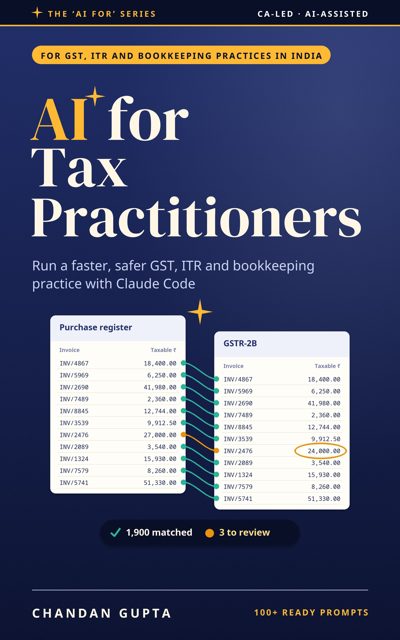
Who it's for
GST practitioners, income-tax consultants and small tax practices in India. For the high-volume work of an Indian tax practice: GSTR-1 from sales registers, GSTR-2B and 3B checks across many clients, ITR season with AIS, 26AS and Form 16, TDS return data, Tally and bank statement clean-up, notice reply files, a compliance calendar and fee register, and client messages in English and Hindi.
What's inside
Part 1: Foundations
What leaves your computer, how to set up a small office safely, and the habits that keep client data where it belongs.
- Keeping Client Data in the Office
- Setting Up a Small Office
Part 2: The practice cycle
The work that fills a small practice's month and year: intake, GSTR-1, ITC at volume, ITR season, TDS, bookkeeping cleanup, notices, the calendar, fees and client messages.
- Client Intake and Document Checklists
- GSTR-1 for Many Clients
- ITC at Volume: 2B, 3B and Vendor Follow-up
- ITR Season at Scale
- TDS Returns: Getting the Data Right
- Bookkeeping Cleanup: Tally, Busy and Bank Statements
- Notices: Read, Build the File, Draft for Review
- The Compliance Calendar and Fee Register
- Client Messages in English and Hindi
Part 3: Running it well
Turning your way of working into written SOPs Claude Code follows, and checking what it gives you before a client or a portal sees it.
- Office SOPs: CLAUDE.md and Skills
- Checking the Output, and the Limits
Part 4: Try it yourself
Two end-to-end walkthroughs on downloadable practice files with planted traps, each run and checked against an answer key.
- Walkthrough: GSTR-1 Against the Books for Three Clients
- Walkthrough: A Bank Statement Into the Ledger
Read the opening free
The introduction and first chapter as a PDF, no sign-up.
Download the free sample (PDF)Questions
Who is this book for?
GST practitioners, income-tax consultants, accountants and small tax offices in India that file for many clients.
Will the AI file returns for me?
No. It prepares and checks the working files; you review and file on the portal yourself. Chapter 13 covers checking the output and the limits.
Is client data safe?
Chapter 1 sets out a routine that keeps client files in the office: the AI writes scripts that run on your computer instead of reading every invoice.
What do I need to follow along?
A Windows or Mac computer and a paid Claude plan. The book links to its practice files and answer keys.
About the author
More in the series
 Chartered Accountants
AI for CAs
A practical guide to Claude Code for tax, audit, advisory and compliance work
 CA students
AI for CA Students
Use Claude Code to study smarter for CA Foundation, Inter and Final, and shine in articleship, without cutting corners
Google PlayKindle: coming soon